KeyConnect Digital Car Key
Apponfire Co. Ltd.Auto & Vehicles
4.62.73K Reviews
- Version
- 2.6.2
- Installs
- 1.00M
- Age Rating
- Everyone
Screenshots
Our Review of KeyConnect Digital Car Key
 Analysis by Appyee
KeyConnect Digital Car Key is appealing for a simple reason: it aims to make a phone useful at the exact moment a driver would otherwise be searching for a key. I see the most value in that convenience, especially for people who share a vehicle or often arrive with their hands full. But a digital-key app is only as useful as its compatibility with the car, so I would treat it as a practical extra rather than assume it can replace every part of a traditional key setup.
Check the car before building a routine around it
The first question I would answer is whether the app supports the specific vehicle I plan to use. A VIN-based setup may make the pairing process feel direct, but entering a VIN does not by itself guarantee that every control will work for every make, model, or year. I would check the car’s compatibility before relying on remote access for a commute, a family handoff, or any situation where being locked out would be a serious problem.
That matters because digital car functions are not always all-or-nothing. A vehicle may support some controls while leaving others unavailable, and the app’s usefulness can therefore vary from one owner to another. Before changing habits, I would test the available actions while the physical key is still close at hand. That is a small precaution, but it prevents a convenient backup from becoming an unexpected single point of failure.
Where the convenience earns its place
The clearest everyday use is a quick lock or unlock when carrying shopping, luggage, or a child’s things makes handling a key awkward. Shared access is another sensible reason to try it: rather than passing a physical key back and forth, a household can use the app’s invitation option where the vehicle and setup support it. I would still agree on who has access and remove it when it is no longer needed, just as I would keep track of a spare key.
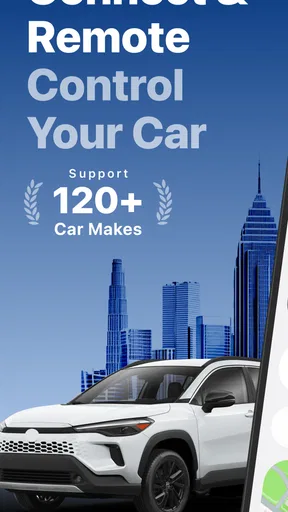
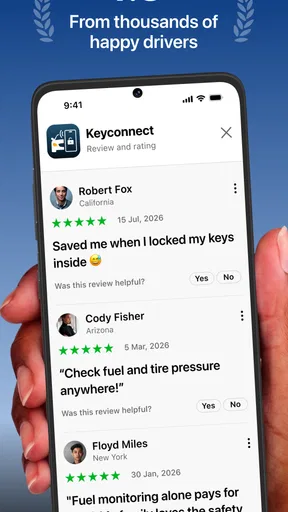
KeyConnect is a free Auto & Vehicles app from Apponfire Co. Ltd., and its focus is narrower than a full vehicle-maintenance or navigation suite. Its store description centers on connecting to a car and controlling it remotely, so I would judge it chiefly by whether those controls are convenient and dependable with my own vehicle. It has a 4.5 average from around 42,000 ratings, and more than a million installs, which suggests many drivers have at least been interested enough to try it; those figures cannot tell me whether it will suit a particular car.
There is also a useful distinction between this kind of app and a manufacturer’s own connected-car app or a conventional key fob. A physical fob remains the straightforward choice when I want a familiar, dedicated control that does not depend on opening an app. A manufacturer’s app may be the better place to start if I already use its vehicle services. KeyConnect is most interesting when its supported controls fit my car and I want phone-based access in addition to those usual options, not when I expect it to replace every other tool.
What I would test before trusting it
I would try the lock and unlock controls in a safe, ordinary setting before depending on them away from home. I would also check what happens after closing the app, restarting the phone, or changing the phone’s connectivity, rather than assuming a successful first setup proves every later use will be equally smooth. These are practical checks, not claims that the app behaves poorly; they help me understand how it fits into my own routine.
For a shared car, I would set up access when both the owner and the other driver have time to verify it together. That avoids discovering a setup problem when someone is waiting outside the vehicle. I would keep the physical key available during the first few handoffs and make sure everyone knows which method to use if phone access is inconvenient. The app can reduce key juggling, but clear expectations matter more when several people depend on the same car.
Phone-based control also changes the small habits around car access. I would keep my phone charged and protected, and I would avoid treating a digital key as a substitute for sensible account and device security. If a phone is lost, damaged, or unavailable, the backup plan should be the ordinary key or another method supported by the vehicle. That trade-off is easy to overlook when the app works well on a normal day.
The app is free to download, but it includes in-app purchases ranging from $8.99 to $99.99 per item. I would look at the purchase details before paying and decide whether the controls I actually need are available for my vehicle and setup. That price range makes it especially important not to buy on the assumption that every feature applies universally. The app is rated for Everyone, and the current version is 2.3.0; it requires Android 9 or later.
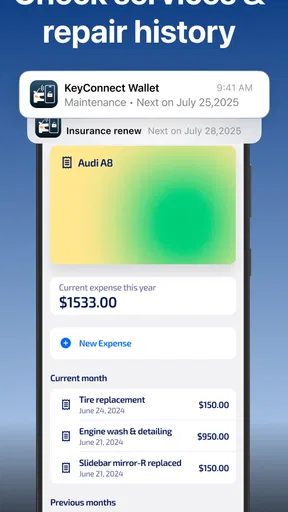
I would be cautious about choosing KeyConnect as the only route to access if I drive an older vehicle, need guaranteed operation in every circumstance, or prefer not to manage car access through a phone. It is also not the right answer for someone looking for a broad dashboard of driving records, repair scheduling, or navigation: its central appeal is remote car access, not a promise to replace every automotive app. In those cases, a manufacturer’s service or a physical key may be the more direct fit.
Have you ever found yourself fumbling for your car keys at the most inconvenient times? Well, the KeyConnect Digital Car Key app might just be the solution you didn’t know you needed. I took this app for a spin (pun intended) to see if it lives up to the hype, and here's what I found.
First Impressions and Setup
Getting started with the KeyConnect Digital Car Key was surprisingly smooth. The app is available for both Android and iOS, and downloading it is as straightforward as you'd hope. Once installed, the app walks you through a simple setup process. You're prompted to connect your car by entering your vehicle's VIN. It’s like pairing your car with your phone—pretty neat, right?
One thing I noticed right off the bat was the clean and intuitive user interface. It’s designed to make navigation a breeze, even for someone who isn’t tech-savvy. Buttons are large and clearly labeled, which is a nice touch.
Functionality and Features
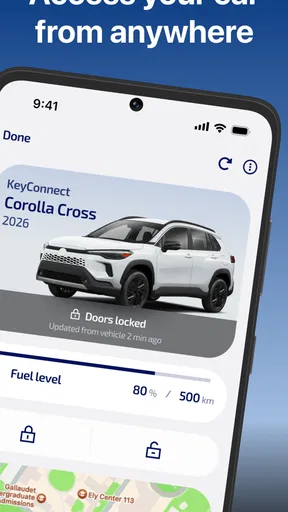
Now, let’s talk about what this app can actually do. The primary function, of course, is to serve as a digital key, allowing you to lock, unlock, and start your car without needing a physical key. I found this feature incredibly handy when my hands were full—just a quick tap on my phone, and voilà!
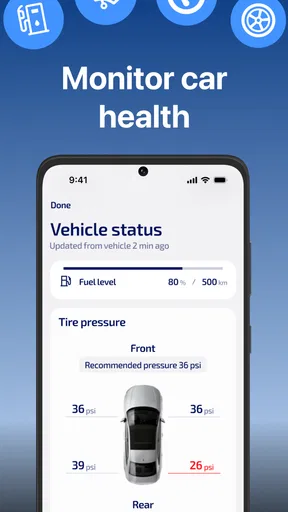
Beyond that, the app offers a handful of other useful features. You can check your car’s status, like fuel levels and tire pressure, directly from your phone. There’s also an option to share access with family members, which is perfect if you share your car. Just send them an invite through the app, and they’re good to go.
However, it’s worth noting that the app’s functionality can vary depending on your car’s make and model. Some features might not be available for older models, so be sure to check compatibility before diving in.
Security and Peace of Mind
One of my initial concerns was security. After all, if you're going to control your car with your phone, you want to make sure it's safe. The app uses advanced encryption to ensure your data is protected. Plus, you can enable biometric authentication, like fingerprint or facial recognition, for an extra layer of security. This definitely put my mind at ease.
In addition, the app alerts you if there’s any unauthorized access attempt, allowing you to take action quickly. It’s like having a personal watchdog for your car, which I found incredibly reassuring.
Final Thoughts
Overall, I was impressed with the KeyConnect Digital Car Key app. It combines convenience with peace of mind, making it a valuable tool for any car owner. While it might not replace your traditional key entirely, it’s a fantastic backup and a great way to streamline your daily routine.
So, if you're looking to add a little extra tech to your driving experience, give this app a try. It might just change the way you think about car keys forever. Trust me, once you go digital, you might not want to go back!
Privacy and Permissions
See what permissions an app requests and how it handles your data.
- Calendar
- read calendar events plus confidential information, add or modify calendar events and send email to guests without owners' knowledge
- Location
- approximate location (network-based), precise location (GPS and network-based)
- Photos/Media/Files
- read the contents of your USB storage, modify or delete the contents of your USB storage
- Storage
- read the contents of your USB storage, modify or delete the contents of your USB storage
- Camera
- take pictures and videos
- Wi-Fi connection information
- view Wi-Fi connections
- Other
- view network connections, pair with Bluetooth devices, access Bluetooth settings, full network access, control vibration, prevent device from sleeping, Google Play license check
Verdict
Strengths of KeyConnect Digital Car Key
- Seamless integration with multiple car brands.
- User-friendly interface for quick setup.
- Supports remote locking and unlocking.
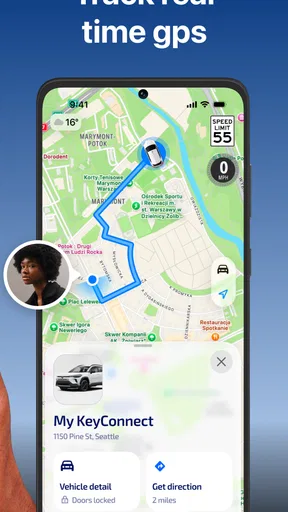
- Offers real-time car location tracking.
- Customizable alerts for enhanced security.
Limitations of KeyConnect Digital Car Key
- Requires compatible car models for full features.
- Subscription needed for advanced options.
- Limited offline functionality.
- Potential battery drain with constant use.
- Privacy concerns with location tracking.
Other Releases by Apponfire Co. Ltd.
View All
Fly Go 4 Drone Camera Control
Photography4.3
Similar Picks in This Category
View All
Android Auto
Google LLC4.1

maxim — order a taxi & food
PT. SITO4.7

Штрафы ГИБДД: проверка с фото
Pays LLC – Штрафы ГИБДД4.7

Номерограм – проверка авто
Авто Ассист4.8

Дром Авто
Дром4.9

Frequently Asked Questions
What is KeyConnect Digital Car Key and how does it work?
KeyConnect Digital Car Key is an app that allows users to lock, unlock, and start their vehicles using their smartphone. It works by connecting your phone to your car's system via Bluetooth or NFC technology. Compatible with a range of car models, it provides a modern, digital solution to traditional car keys.
Is my car compatible with KeyConnect Digital Car Key?
KeyConnect is compatible with many modern car models that support digital key technology. To ensure compatibility, check the app's official website or documentation for a list of supported vehicles. You may also need to update your car's firmware to the latest version to use this feature effectively.
How secure is the KeyConnect Digital Car Key app?
Security is a top priority for the KeyConnect app. It employs advanced encryption protocols to protect your data and ensure that only authorized devices can access your car. Users are encouraged to set up strong passwords and enable two-factor authentication for an extra layer of security.
Can I share my digital car key with others?
Yes, KeyConnect allows you to share access with family members or friends. You can set permissions and define specific access levels, such as allowing only unlocking or full access. This feature is particularly useful for car sharing within a household or among trusted individuals.
What happens if my phone is lost or stolen?
If your phone is lost or stolen, you can deactivate the digital key through the KeyConnect website or use another device with the app installed. It's important to notify your car manufacturer as well to prevent unauthorized access. Always ensure your phone is password-protected and has remote wipe capabilities.
